






















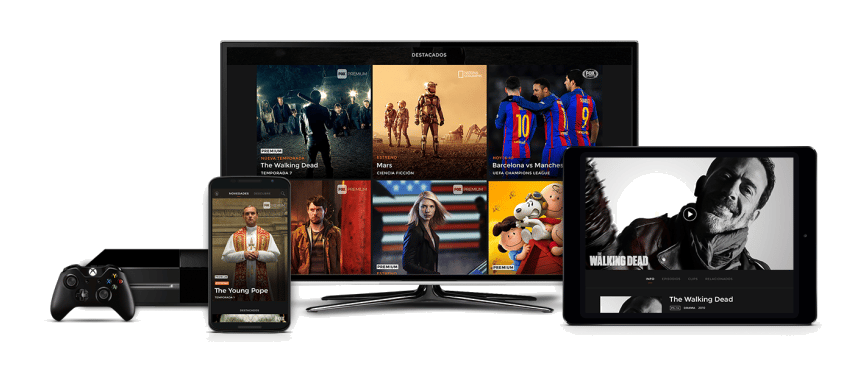






How to Install IPTV Using IPTV Smarters: The best Guide
IPTV Smarters is a highly popular app for IPTV streaming, known for its user-friendly interface and broad device compatibility. In this comprehensive guide, we’ll walk you through how to install IPTV Smarters on different platforms, including Android, iOS, Windows, macOS, Smart TVs, and Amazon Firestick.
Why Use IPTV Smarters?
- User-Friendly Interface: IPTV Smarters offers an intuitive design, making it easy to browse and watch live TV, movies, and series.
- Multi-Platform Compatibility: Works across various devices including Android, iOS, Windows, macOS, Smart TVs, and Firestick.
- Customization: Allows for EPG integration, parental controls, and customizable playlists.
Section 1: How to Install IPTV Smarters
1.1 For Android Devices (Smartphones, Tablets, Android TV)
- Open Google Play Store:
- Unlock your Android device and open the Google Play Store.
- Open Google Play Store:
- Search for IPTV Smarters Pro:
- Use the search bar to find “IPTV Smarters Pro.”
- Search for IPTV Smarters Pro:
- Install the App:
- Click “Install” to download and automatically install the app on your device.
- Install the App:
- Alternative Method (APK Installation):
- If the app is not available in your region, download the APK file from a trusted source like the official IPTV Smarters website.
- Enable “Unknown Sources” in your device’s security settings.
- Download and install the APK file manually.
- Alternative Method (APK Installation):
1.2 For iOS Devices (iPhone, iPad)
- Open the App Store:
- Launch the Apple App Store on your iOS device.
- Open the App Store:
- Search for IPTV Smarters Pro:
- Use the search bar to locate “IPTV Smarters Pro.”
- Search for IPTV Smarters Pro:
- Download the App:
- Tap “Get” to download and install the app.
- Download the App:
- Trust the App (if required):
- Go to Settings > General > Device Management and trust the IPTV Smarters Pro profile if prompted.
- Trust the App (if required):
1.3 For Windows and macOS
- Visit the IPTV Smarters Official Website:
- Go to iptvsmarters.com using a web browser.
- Visit the IPTV Smarters Official Website:
- Download the Appropriate Version:
- Choose the version for Windows or macOS based on your operating system.
- Download the Appropriate Version:
- Install the Application:
- Run the downloaded installer and follow the on-screen instructions to install the app.
- Install the Application:
- Launch the App:
- Open the app from the Start menu (Windows) or Applications folder (macOS).
- Launch the App:
1.4 For Smart TVs (Samsung, LG, Android TV)
- Samsung Smart TV:
- Open the Samsung Smart Hub on your TV.
- Search for “IPTV Smarters” in the Apps section.
- Download and install the app.
- Samsung Smart TV:
- LG Smart TV:
- Open the LG Content Store on your TV.
- Search for “IPTV Smarters” and install the app.
- LG Smart TV:
- Android TV (Sony, Nvidia Shield, etc.):
- Open the Google Play Store on your Android TV.
- Search for “IPTV Smarters Pro” and install the app.
- Android TV (Sony, Nvidia Shield, etc.):
1.5 For Amazon Firestick and Fire TV
Since IPTV Smarters isn’t directly available on the Amazon App Store, you’ll need to sideload the app:
- Enable Apps from Unknown Sources:
- Navigate to Settings > My Fire TV > Developer Options.
- Turn on Apps from Unknown Sources.
- Enable Apps from Unknown Sources:
- Install the Downloader App:
- From the Firestick home screen, use the search function to find the Downloader app.
- Click “Download” or “Get” to install the Downloader app.
- Install the Downloader App:
- Download IPTV Smarters:
- Open the Downloader app.
- In the URL field, enter the IPTV Smarters APK URL from iptvsmarters.com (e.g.,
https://www.iptvsmarters.com/smarters.apk).
- In the URL field, enter the IPTV Smarters APK URL from iptvsmarters.com (e.g.,
- Click “Go” and wait for the download to complete.
- Download IPTV Smarters:
- Install IPTV Smarters:
- Once the download finishes, a prompt will appear. Click Install to install IPTV Smarters on your Firestick.
- After installation, click Open to launch the app.
- Install IPTV Smarters:
- Delete the APK File (Optional):
- To free up space, go back to the Downloader app and delete the APK file.
- Delete the APK File (Optional):
Section 2: Setting Up IPTV Smarters
2.1 Launch IPTV Smarters
- Open the App:
- Locate IPTV Smarters on your device and launch it.
- Open the App:
- Accept Terms and Conditions:
- On the first launch, accept the terms and conditions to proceed.
- Accept Terms and Conditions:
2.2 Add Your IPTV Subscription
- Choose Add New User:
- On the home screen of IPTV Smarters, select “Add New User.”
- Choose Add New User:
- Select Login Method:
IPTV Smarters offers several ways to add your IPTV subscription:- Load Your Playlist or File/URL: Enter the M3U URL provided by your IPTV provider (e.g., xtreamiptvs.com).
- Login with Xtream Codes API: Enter the username, password, and server URL provided by your IPTV provider.
- Load Your Playlist from File/Local Storage: Use this if you have an M3U file downloaded on your device.
- Select Login Method:
2.3 Enter IPTV Details
- For M3U URL:
- Playlist Name: Enter a name for your playlist (e.g., “Premium IPTV”).
- M3U URL: Paste the M3U URL provided by your IPTV provider.
- Click “Add User” to proceed.
- For M3U URL:
- For Xtream Codes API:
- Name: Enter a profile name.
- Username and Password: Enter the credentials provided by your IPTV service.
- Server URL: Enter the server URL provided by your IPTV provider.
- Click “Add User” to log in.
- For Xtream Codes API:
Section 3: Navigating IPTV Smarters
- Select Profile:
- Choose the profile you added to start using IPTV Smarters.
- Select Profile:
- Explore Categories:
- Live TV: Browse live channels across various categories.
- Movies and Series: Access on-demand content.
- Catch Up: Watch previously aired programs if your IPTV provider supports it.
- Explore Categories:
- EPG (Electronic Program Guide):
- Use the EPG to view the current and upcoming program schedules.
- EPG (Electronic Program Guide):
Section 4: Customizing Your IPTV Experience
- EPG Setup:
- Go to “Settings” > “EPG” to add an EPG URL if provided by your IPTV service.
- EPG Setup:
- Change Theme:
- In “Settings” > “Player Settings” > “Theme,” select different themes to customize the app’s appearance.
- Change Theme:
- Parental Controls:
- Navigate to “Settings” > “Parental Control” to set up a PIN and restrict access to specific content.
- Parental Controls:
Section 5: Troubleshooting Common Issues
5.1 Buffering or Streaming Issues
- Check Internet Speed: Ensure a stable internet connection.
- Reduce Stream Quality: Lower the video quality in the app settings to reduce buffering.
- Use Ethernet Connection: If possible, connect your device directly to the router for a more stable connection.
5.2 Firestick Performance
- Clear Cache: Go to Firestick Settings > Applications > Manage Installed Applications > IPTV Smarters > Clear Cache.
- Restart Firestick: Restart the device periodically to clear the memory.
5.3 App Not Loading or Crashing
- Update IPTV Smarters: Make sure you are using the latest version of IPTV Smarters.
- Reinstall the App: Uninstall and reinstall the app if it fails to load.
Conclusion
Installing IPTV Smarters on any device is a straightforward process if you follow these steps. Whether you’re using an Android device, iOS device, Smart TV, Firestick, or a computer, this guide provides detailed instructions to help you set up and enjoy IPTV streaming seamlessly. Always choose a reliable IPTV provider like xtreamiptvs.com for the best viewing experience.