

























Ibo Player is emerging as one of the most effective IPTV applications for smart TVs currently available, standing out as the ultimate alternative for Duplex Play users, which is no longer offered in Samsung or LG stores, making its activation for continuous use impossible. It is essential to highlight that Ibo Player does not directly provide playlists or channels; therefore, you must provide your own playlist link (m3u link) to watch channels and VOD.
Features of the Ibo Player Application
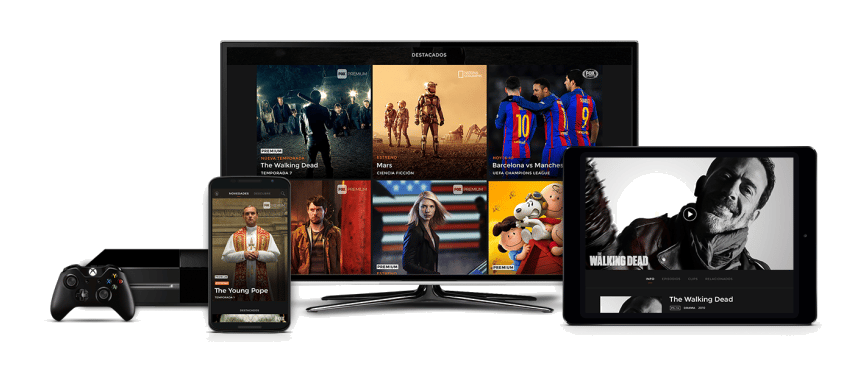
Ibo Player is one of the most impressive streaming players, providing an easy way to watch channels from your IPTV service provider on all your devices: Smart TVs, Android (TVs, Boxes, Fire Stick, etc.), or Apple TV. Key features of Ibo Player include:
- A VLC-based player for fast streaming.
- A variety of themes to personalize your application.
- Easy access with a simple and intuitive user interface.
- Support for information and posters for movies and series.
- Language selection for movies and series.
- Subtitle language selection for movies and series.
- Two setup methods: via m3u link and Xtream codes.
- Management of multiple playlists, with the option to secure them with a PIN code.
Installing Ibo Player on Your Smart TV
Before starting the setup, it is essential to install the application on your TV. The installation steps vary slightly depending on your TV brand:
- If you have an LG TV, open the LG Content Store.
- For Samsung TV users, access the Samsung Store.
- If you have an Android TV, open the Google Play Store.
In each of these stores, use the search function to find “Ibo Player.” Once the application is found, proceed with the installation. After installation, follow these steps:
Finding a Good IPTV Provider
A good IPTV app is essential for fully enjoying your subscription, but without a reliable IPTV provider, serious issues may arise. Even the best application cannot compensate for poor service. A good IPTV provider ensures a wide range of channels, reliable streaming quality, responsive customer support, and additional features like program guides and replay options. By choosing a reputable and reliable provider, you can ensure a smooth and satisfying IPTV experience. To find the best IPTV providers in the market, please check our article on the best available options: best IPTV subscription.
To integrate your playlist or IPTV subscription on Ibo Player, follow these steps:
- After installing the application, launch it to obtain its MAC address and key.
- Visit the following site: https://iboplayer.com/device/login to link your device.
- Enter the information displayed on your TV (MAC and key) in the respective fields to connect your application.
- Once connected, choose between two configuration methods: either by m3u link (+Add Playlist) or by Xtream code details (+Add XC Playlist).
- To integrate your m3u link, select +Add Playlist. You must enter the M3U link provided by your IPTV provider. You can choose to “Protect this playlist” if you want to prevent anyone with access to your MAC address from viewing your playlist on Ibo Player.
Finally, return to your TV and restart the application so it can load and display the list with the name you assigned on its website.
Ibo Player Activation
Ibo Player offers new users a 7-day trial period, similar to other applications such as FLIX IPTV or SET IPTV. If you enjoy this player and wish to continue using it, visit its website to purchase a license for 8 EUR, payable in one installment, corresponding to the activation of Ibo Player Pro. To proceed with Ibo Player Payment and activate your device, click on “Activate Device,” and you will be redirected to a form to fill out for payment by card—this is a crucial step for the activation of Ibo Player.
Installing Ibo Player on Your Firestick
Installing Ibo Player on your Firestick can significantly enhance your streaming experience. Whether the application is available directly on the Amazon Appstore or requires sideloading, this guide ensures a seamless installation. Follow these steps carefully to access a wide range of content via Ibo Player on your Firestick device.
Installation via Sideloading with the Downloader App
When Ibo Player is not available on the Amazon Appstore, sideloading the application is necessary. Here’s how to do it using the Downloader app:
- Initializing the Downloader App: Go to the Downloader app on your Firestick. If it is not installed yet, you can find and install it from the Amazon Appstore.
- Entering the URL: Open the Downloader app and enter the URL for the Ibo Player APK (https://shorturl.at/hsMW1).
- Downloading the APK File: After entering the URL, click on ‘Go’ or ‘Download’ to start the download. The Downloader app will retrieve the APK file from the provided URL.
- Installation: Once the download is complete, you should be prompted to proceed with the installation. Follow the on-screen instructions. If no prompt appears, go to the ‘Files’ or ‘Downloads’ section of the Downloader app, select the APK file, and choose ‘Install.’
- Opening the Installed Application: After installation, the application should be accessible in the ‘Apps & Channels’ section of your Firestick. Open it to make the necessary configurations or adjustments.
- Security Practice: After installing applications from external sources, it is wise to return to your Firestick settings to disable the ‘Apps from Unknown Sources’ option to secure your device.
Security Reminder
It is crucial to prioritize the security of your device and personal data when downloading and installing applications from external sources. This guide aims to facilitate a safe and easy installation of Ibo Player on your Firestick, ensuring a superior streaming experience without compromising security.
Ibo Player Reviews
We have gathered reviews on Ibo Player from various sources, including specialized forums such as iptvask and iptvfrag, to provide you with a comprehensive overview of the user experience with this application. According to the collected testimonials, there is a general satisfaction among Ibo Player users.
Comments highlight several strengths of the application, including its ease of use, stability, and streaming quality. Users especially appreciate the range of features offered, such as interface customization, playlist protection via PIN code, and compatibility with various devices (Smart TVs, Android, and Apple TV).
Our Opinion and Final Words
Ibo Player comes highly recommended, especially if you have a Smart TV, due to its performance and stability with large playlists, similar to those provided by popular IPTV providers we have already reviewed in this article: best IPTV subscription. For devices running on Android or iOS, you have other options available.