






















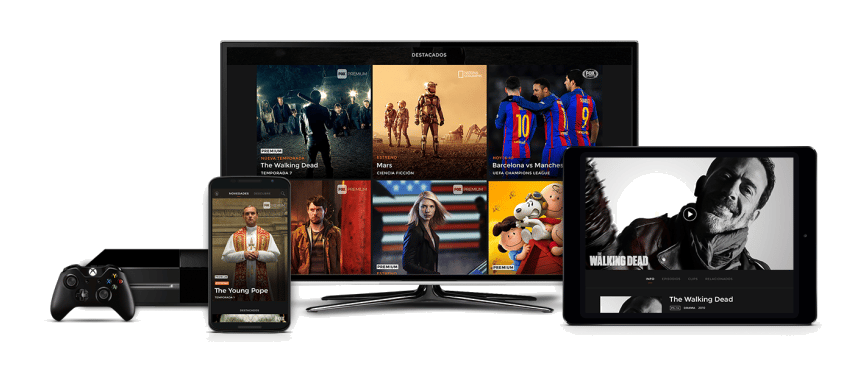






Net IPTV is a powerful application that allows users to stream IPTV channels on various devices, including Smart TVs, Android and iOS smartphones, as well as devices like the Amazon Fire Stick. With its extensive compatibility and numerous features, Net IPTV stands out as an ideal solution for accessing your favorite channels. In this article, we will explore everything you need to know: installation, configuration, activation, and tips to maximize your experience.
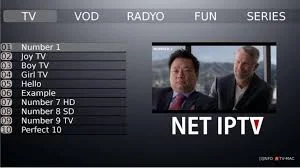
What is Net IPTV and Why Use It?
Net IPTV is an IPTV player designed to provide a seamless and customizable experience. Unlike other IPTV players, it does not provide content on its own; you need to import your own playlists (often in M3U format), provided by your IPTV service.
Why choose Net IPTV?
- Extensive Compatibility: Works with a wide variety of devices.
- Intuitive Interface: Easy to navigate, even for beginners.
- Advanced Customization: Ability to add multiple playlists and manage your favorites.
- Multilingual Support: Compatible with subtitles and multiple languages.
Devices Compatible with Net IPTV
Before beginning the installation, it is essential to check if your device is compatible. Fortunately, Net IPTV supports numerous devices:
- Samsung Smart TVs: All Tizen models (2016 and later).
- LG Smart TVs: TVs running WebOS.
- Android Devices: Smartphones, tablets, and Android TV boxes.
- iPhone and iPad: Available via the App Store.
- Amazon Fire Stick: Requires manual installation.
This compatibility allows users to enjoy Net IPTV on nearly any home or mobile device.
Steps to Install Net IPTV
Installation may vary depending on the device you are using. Here is a detailed guide:
1. On Samsung and LG Smart TVs
- Access the applications store on your TV (Samsung App Store or LG Content Store).
- Search for the “Net IPTV” application and download it.
- Launch the application and note the MAC address displayed on the screen.
2. On Android and iOS Devices
- Open the Google Play Store or the App Store, depending on your device.
- Search for and install Net IPTV.
- Open the application and follow the instructions to enter your playlists or settings.
3. On the Amazon Fire Stick
- Go to Settings and enable the option to install applications from unknown sources.
- Download an APK file for Net IPTV using an application like Downloader.
- Install the APK file and launch the application.
How to Set Up a Subscription on NET IPTV?
1 – After installation, launch the application to find its MAC address. If it is not displayed on the interface, click the red button to show it.
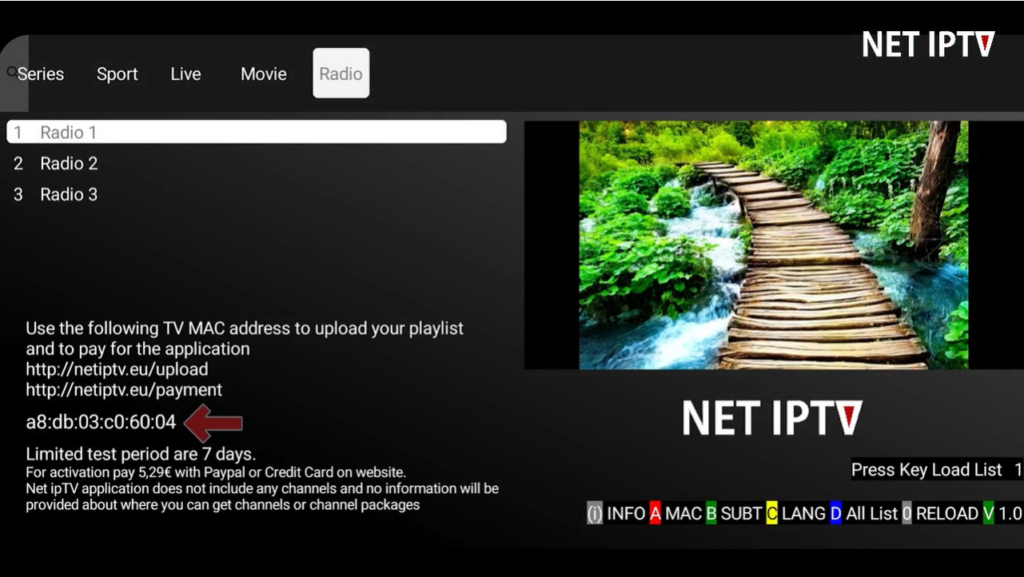
2 – Once you have obtained your application’s MAC address, go to this link: https://www.netiptv.eu/Upload
3 – On the site page, enter your NET IPTV application’s MAC address, confirm the Captcha, then click Add list.
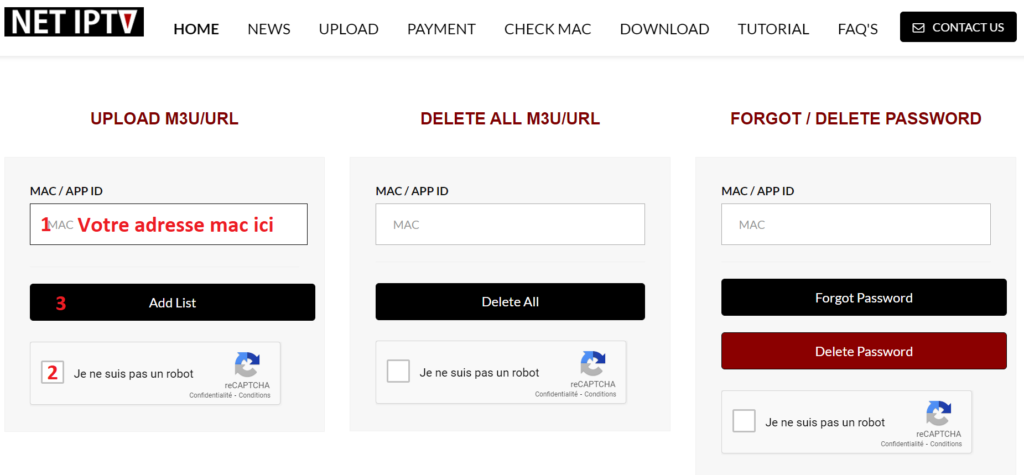
4 – On the next page, paste your M3U link and click “Add List”. If you see a button in yellow saying “Update,” it means there is already a list on your application.
Note that you can add up to four playlists (M3U links) on the NET IPTV application.
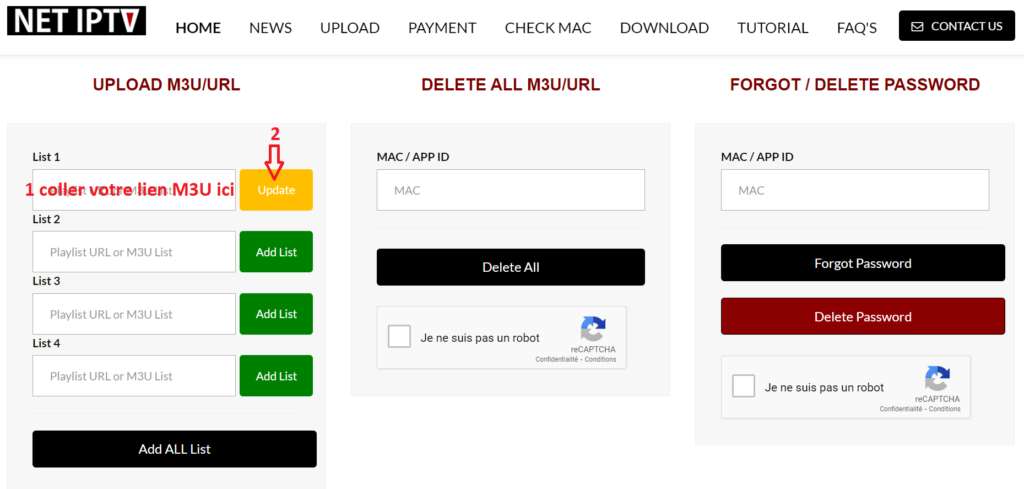
5 – The last step is to return to your Smart TV to restart your NET IPTV application to load the playlist. You can also press the number 0 on the remote to refresh and reload the list.
Activation of NET IPTV
The NET IPTV application is not free but offers a 7-day trial. After the trial period ends, you can continue using it with two activation plans.
- 24 months (2 years) for €5.79.
- Unlimited or lifetime for €13.79.
Here is the direct link to the activation page: https://netiptv.eu/Payment
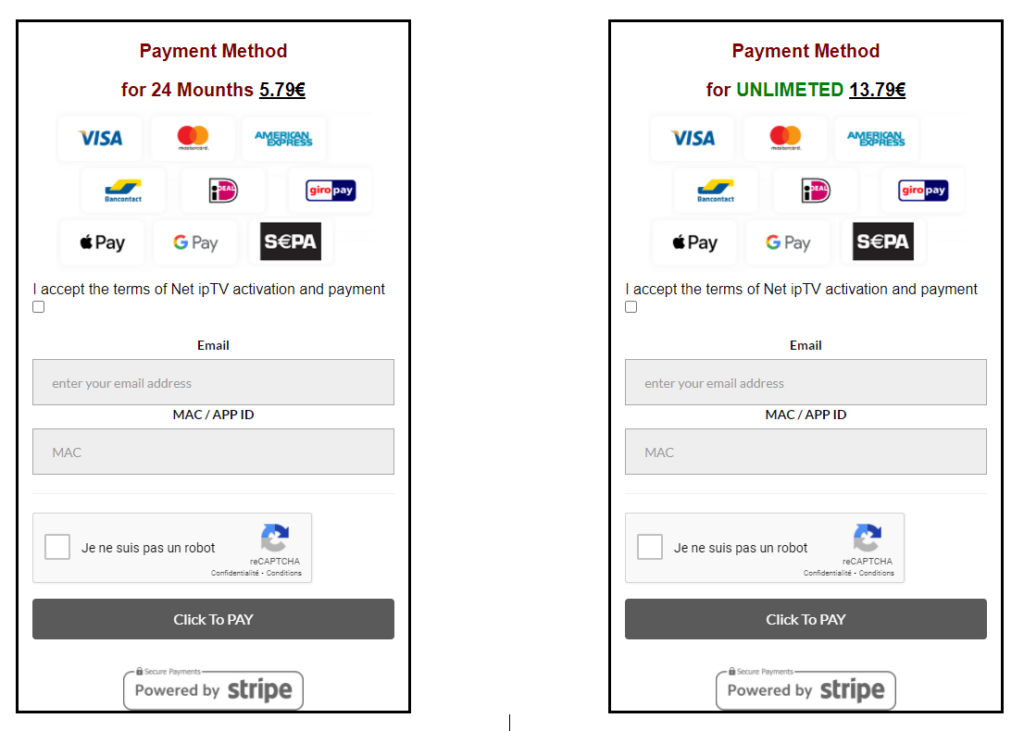
To activate your application, select one of the two plans and accept the terms of activation and payment (in English: I accept the terms of Net IPTV activation and payment), then enter your email and the MAC address of your NET IPTV application. Don’t forget the captcha before clicking “Click to PAY”.
Key Features of Net IPTV
- Support for Multiple Playlists: Ideal for users who want to switch between different IPTV subscriptions.
- Favorites Management: Add your favorite channels for quick access.
- Advanced Search: Easily find channels or programs you want.
- Subtitle Support: Enjoy multilingual options available in video streams.
Tips to Optimize Your Experience with Net IPTV
- Use a Reliable Internet Connection: A speed of 10 Mbps or higher is recommended to avoid interruptions.
- Keep the Application Updated: Updates help fix bugs and introduce new features.
- Protect Your Connection: Use a VPN if necessary to secure your network.
- Organize Your Playlists: Name and categorize your lists for easier navigation.
For an Exceptional IPTV Experience, Choose IPTVMIRO
When looking for a reliable IPTV provider to accompany your use of Net IPTV, IPTVMIRO (available at iptvmiro.com) stands out as a top choice. With its high-quality services, IPTVMIRO ensures a seamless and hassle-free experience for all streaming enthusiasts.

Why choose IPTVMIRO?
- Ultra-HD Streaming Quality: IPTVMIRO offers channels in HD and Ultra-HD quality, ensuring a crisp and uninterrupted image.
- Impressive Content Catalog: Enjoy thousands of international, local, and specialized channels, as well as a vast selection of on-demand movies and series.
- Compatibility with Net IPTV: The M3U lists provided by IPTVMIRO are perfectly optimized to work on Net IPTV, offering a straightforward and quick setup.
- Stability and Reliability: With robust servers, IPTVMIRO ensures continuous streaming without lag or interruptions.
- Responsive Customer Support: A dedicated support team is available 24/7 to answer all your questions and resolve any technical issues.
- 24-Hour Free Trial: IPTVMIRO allows you to try its services for free for 24 hours to discover the exceptional quality of its content and performance before committing.
- Competitive Pricing: Flexible subscription plans to suit any budget.
How to use IPTVMIRO with Net IPTV?
- Subscribe at iptvmiro.com and receive your M3U playlist.
- Set up Net IPTV following the detailed process in this article, using the M3U list provided by IPTVMIRO.
- Enjoy an optimal streaming experience with access to diverse and high-quality content.
By choosing IPTVMIRO, you can be sure of receiving a premium IPTV service that meets all your quality and reliability expectations, with the opportunity to try it for free before making your decision.
Conclusion
Net IPTV is a reliable and efficient solution for streaming IPTV channels on multiple devices. With this guide, you can now install, configure, and activate Net IPTV with ease. Whether you want to watch your favorite channels on your Smart TV or enjoy a smooth experience on mobile, Net IPTV offers flexibility and features tailored to all needs.
Feel free to explore all the options it offers to optimize your experience!